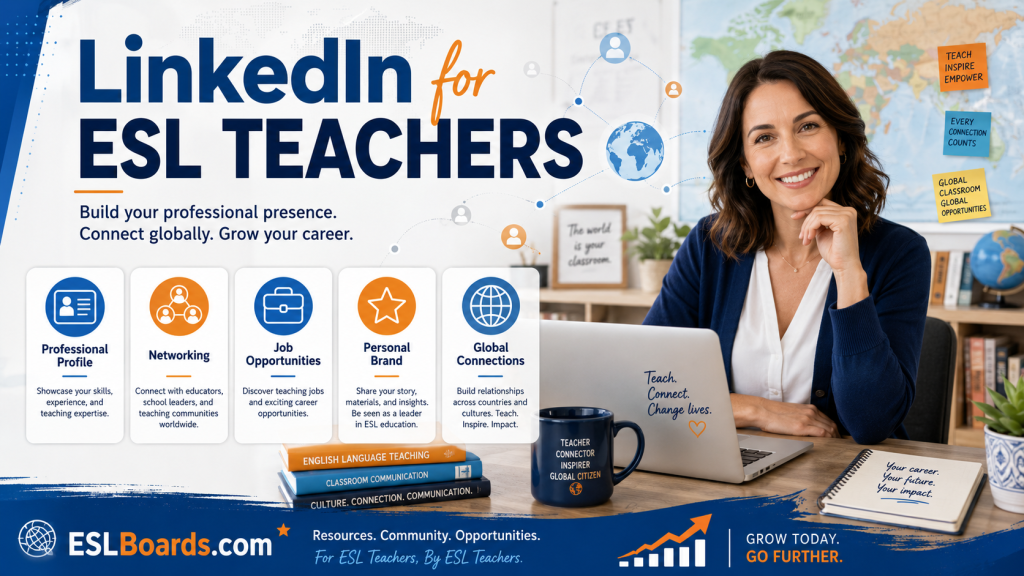
LinkedIn is the single most underused career tool in the ESL industry. Most teachers treat it as a digital resume they update once every few years — and as a result they miss out on recruiter inbound, corporate clients, conference invitations, and senior job opportunities that are sourced directly through the platform. For ESL teachers specifically, a well-run LinkedIn profile functions as a 24/7 shop window for your professional self, visible to hiring managers, students, and collaborators worldwide. This guide explains exactly how to set up, optimize, and use LinkedIn to advance your ESL career.
For the broader networking strategy this fits into, see networking as an ESL teacher, and explore more in the Career Growth section.
Why LinkedIn Matters for ESL Teachers
Unlike Instagram or TikTok, LinkedIn is where the people who pay you actually are:
- Recruiters for international schools, universities, and corporate training firms source candidates directly on LinkedIn.
- HR managers at companies looking for in-house English trainers search the platform before posting jobs.
- School owners and academic directors check candidates’ LinkedIn before interviews.
- Corporate and business-English clients vet potential trainers on LinkedIn.
- Publishers, edtech companies, and conference organizers find speakers and writers here.
- Former colleagues who might recommend you for roles live here.
A strong LinkedIn presence means opportunities come to you, rather than you chasing every one of them.
Anatomy of an Optimized ESL Teacher Profile
Each section of your profile has a job. Here’s how to handle them:
Headshot
Clean, well-lit, friendly, recent. Neutral background. No party photos, no passport-style grimace. You’re a teacher — warmth and approachability matter. A smartphone photo in good daylight is fine; you don’t need a professional shoot.
Headline
The single most important field. Don’t just write “English Teacher.” Write a headline that says what you do, who you help, and ideally a specialty. Examples:
- “IELTS Specialist | Helping international nurses achieve Band 7.0+ for UK registration”
- “Business English Trainer for Tech Professionals | Cambridge CELTA”
- “Director of Studies | EFL & Young Learners | 12 years in East Asia”
- “Online ESL Tutor | Conversation & Exam Prep | Accepting new students”
Your headline follows you everywhere on LinkedIn — every comment, every search result. Make it specific and searchable.
Banner Image
The strip behind your headshot is prime real estate. Use it to reinforce your brand: a photo of you teaching, your specialty spelled out, your key credentials, or a clean branded graphic. A blank default banner signals a half-finished profile.
About Section
Three to five short paragraphs. Cover:
- Who you help and how (your specialty and approach).
- Your credentials and experience, with a few specifics (years, contexts, results).
- What you’re known for or uniquely good at.
- A clear call to action — what you want people to do (hire you, message you, refer students).
Write in first person, conversationally. Keyword-load it naturally with the terms recruiters search (CELTA, DELTA, IELTS, Business English, EAP, online tutor, Director of Studies).
Experience
For each role, include:
- School/employer, location, dates.
- A one-line summary of the role and student population.
- 3–5 bullet points covering responsibilities, specialisms, and quantified results.
- Relevant keywords (exam prep, curriculum design, teacher training, young learners).
Quantify where you can: “taught 25+ hours/week to classes of 12–18 adult learners,” “raised average IELTS score by 0.8 bands over 10-week courses,” “mentored 4 new teachers per term.”
Education and Licenses
List your degree(s) and — critically — your teaching qualifications: TEFL, CELTA, DELTA, PGCE, MA TESOL, IELTS examiner certification, state license. Add the issuing bodies. These are heavily searched keywords.
Skills
Add up to 50 skills, prioritizing the most relevant: ESL, EFL, TEFL, CELTA, IELTS, Business English, Lesson Planning, Classroom Management, Curriculum Development, Teacher Training, Online Teaching, etc. Endorsements from colleagues boost their visibility.
Recommendations
These are LinkedIn’s gold — visible, third-party endorsements. Aim for at least 3–5 from former managers, colleagues, and students. Ask specifically: “Would you be willing to write a brief recommendation focused on my IELTS teaching and student results?” Most people say yes if asked.
Featured Section
Pin your best content here: a lesson sample, a student testimonial video, a downloadable resource, a published article, your teaching portfolio. This turns a static profile into evidence.
Settings That Matter
- Set yourself “Open to Work” when job hunting — you can choose whether this is visible to all LinkedIn members or only recruiters. The recruiter-only option is discreet.
- Set a custom URL — linkedin.com/in/yourname rather than a random string. Put it on your resume and email signature.
- Turn on Creator Mode if you plan to post regularly — it gives you access to analytics and a “Follow” button alongside “Connect.”
- Manage visibility of your connections, birthdate, and any personal details you’d rather keep private.
How to Actually Use LinkedIn Actively
A polished profile alone won’t do much. The value comes from activity:
Connect strategically
Send 5–10 thoughtful connection requests per week to people in your niche: fellow teachers, recruiters, school owners, edtech folks, former colleagues. Always add a short personal note: “Hi [name], I’m also an IELTS tutor based in [city] — enjoyed your post on speaking fluency. Would love to connect.”
Post useful content
Aim for one or two posts a week. Formats that perform well in the ESL space:
- A quick teaching tip (with a photo or short carousel).
- A student success story (with permission).
- A reflection on a lesson that didn’t go well and what you learned.
- A resource: a free lesson plan, vocabulary list, or study schedule.
- Industry commentary: a new exam format, an edtech tool, a market trend.
- A question that invites responses — these drive the most engagement.
Engage with others
Commenting thoughtfully on other people’s posts is higher-leverage than posting yourself. It puts your name and headline in front of their audience. Five genuine comments a week will grow your visibility faster than five cold posts.
Use the search bar
Search for roles (“Director of Studies Dubai,” “Business English trainer remote”), companies you’d like to work for, and people in roles you aspire to. Follow companies to see their posts and openings.
Recruiters and Inbound Opportunities
Once your profile is optimized and you’re posting, you’ll start receiving messages from recruiters. Handle them well:
- Respond to everyone politely, even if not interested — recruiters remember who ignored them.
- Vet recruiters — check their employer clients and reputation. Some are excellent; some are spammy. See recruiter vs direct application.
- Be specific about what you want — role, location, salary floor, contract type. Vague teachers get vague offers.
- Keep a tracker of recruiter conversations so you can follow up.
Using LinkedIn for Direct Student Acquisition
If you teach online or freelance, LinkedIn is a powerful student-acquisition channel, especially for business English and exam prep:
- Post content aimed at your target learners, not just other teachers.
- Join groups where your students hang out (industry groups, expat groups, MBA groups).
- Offer a clear next step: a free consultation, a trial lesson, a downloadable resource in exchange for an email.
- Collect and display testimonials — see building your personal brand.
LinkedIn-sourced students are often higher-paying and more committed than platform leads.
Common LinkedIn Mistakes for ESL Teachers
- Generic headline (“English Teacher”) that says nothing distinctive.
- An empty About section or one that reads like a formal cover letter.
- No recommendations — the most persuasive part of the profile, left blank.
- Treating LinkedIn like Facebook — political rants, complaints, personal drama. Recruiters see it all.
- Connecting but never engaging. A dormant network decays.
- Ignoring messages from recruiters you don’t currently need.
- Inflated or false credentials. The ESL world is small; exaggerations are caught.
A 30-Day LinkedIn Refresh Plan
- Days 1–3: Update headline, headshot, banner, and About.
- Days 4–7: Rewrite experience entries with quantified bullets. Add skills and licenses.
- Days 8–12: Request 5 recommendations from former managers and colleagues.
- Days 13–20: Send 30 connection requests with personal notes to people in your niche.
- Days 21–30: Post twice and comment on 10 others’ posts.
By day 30 you’ll have a profile that actively works for you rather than against you.
Using LinkedIn Without Burning Out
LinkedIn can become a time sink if you let it. To get the benefits without the drain:
- Batch your activity — 20 minutes, twice a week, is enough to engage meaningfully without living on the platform.
- Schedule posts in advance using LinkedIn’s native scheduler or a tool like Buffer. Write four posts in one sitting and let them drip out over a month.
- Use the 5-3-2 rule — of what you share, aim for 5 pieces of industry-relevant content from others, 3 original pieces from you, and 2 personal items that humanize you. It keeps your feed varied and authentic.
- Turn off notifications that aren’t relevant. You don’t need to see every connection’s work anniversary.
- Unfollow generously — if someone’s content drags down your feed, unfollow (you stay connected but stop seeing their posts).
- Set boundaries — decide what you will and won’t discuss professionally online, and hold the line. Politics, religion, and employer-bashing are best left off LinkedIn.
A sustainable LinkedIn presence beats a frantic one. Teachers who post steadily for years outperform those who burn brightly for a month and vanish.
LinkedIn Premium: Is It Worth It?
LinkedIn Premium Career costs around $30–$40/month. For ESL teachers, it’s worth it in specific situations and not others:
- Worth it if you’re actively job hunting, want to message recruiters directly (InMail), or value the applicant insights (who else applied, how you compare).
- Worth it if you do B2B corporate training and want to message HR/L&D managers outside your network.
- Probably not worth it if you’re a casual user, fully employed, or primarily acquiring direct students — a free account plus good content does 90% of the work.
If you do try Premium, set a reminder to cancel before the renewal date if it hasn’t paid for itself. Many teachers find a single month during active job hunting delivers value; ongoing subscription rarely does.
The Bottom Line
LinkedIn is the highest-ROI career platform available to ESL teachers, and most of the industry still ignores it. A specific, well-evidenced profile plus light but consistent activity — connecting, posting useful content, and engaging genuinely with others — turns LinkedIn into a steady source of recruiter messages, better job offers, and direct student enquiries. Invest a month in getting your profile right and a few minutes a week in maintaining it, and it will pay back in opportunities for years.
Your next role might already be looking for you. Browse ESL teaching jobs on eslboards and make sure your LinkedIn is ready when employers come looking.
